
Download Complete Heart – interactive 3D heart learning tool
Introduction & Overview
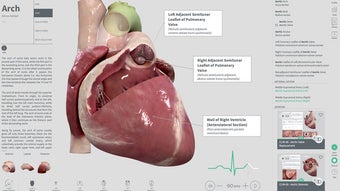
Complete Heart is a revolutionary graphical technology that brings a fully interactive, beating heart to life in stunning 3D. Designed for students, educators, and medical professionals, the app lets you dissect the several layers of the heart while it moves, offering a hands‑on view of cardiac anatomy and physiology that textbooks simply cannot match. Advanced lighting, high‑resolution textures, and real‑time heartbeat audio create an immersive learning experience that feels like stepping inside a living organ.
Whether you are exploring the major chambers, tracing the coronary arteries, or examining the delicate valve leaflets, Complete Heart provides a seamless blend of visual fidelity and educational depth. The software also integrates clinical tools such as an interactive electrocardiogram (ECG) simulator, allowing users to correlate visual anatomy with electrical activity. By zooming in, you can follow blood flow through the vessels, watch the heart contract in sync with audio cues, and even toggle layers to isolate specific structures.
This makes it an ideal companion for anatomy courses, cardiology training, or personal curiosity about how the cardiovascular system works. Complete Heart is available for Windows, macOS, Android, and iOS, ensuring that learners can access the experience on desktops, laptops, tablets, or smartphones. The app is free to download with optional in‑app purchases for advanced modules, and it receives regular updates that add new models, enhanced textures, and additional clinical scenarios.
In short, Complete Heart transforms abstract cardiac concepts into a vivid, interactive reality that can be explored anytime, anywhere.
Key Features & Educational Tools
- Full‑scale 3D model of the human heart with realistic beating animation.
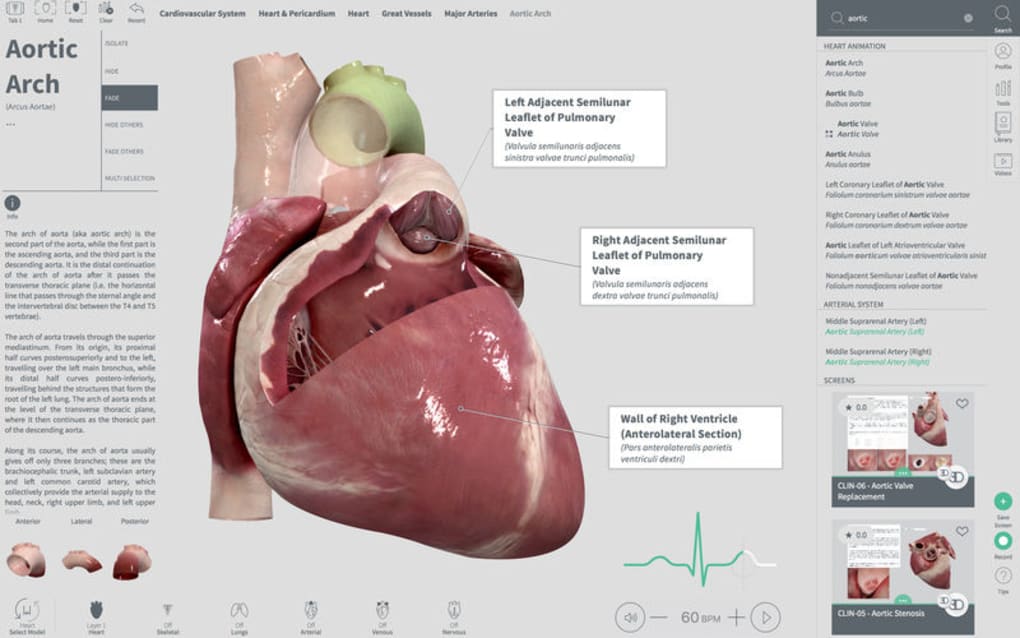
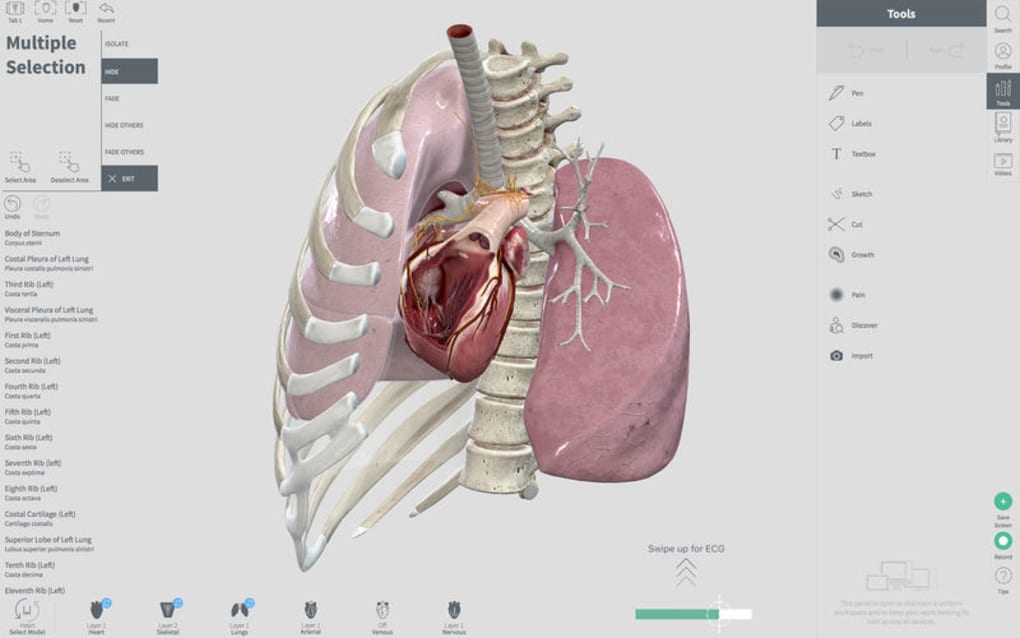
- Layered anatomy view – muscle, valves, vessels, and electrical conduction system.
- High‑resolution textures and dynamic lighting for true‑to‑life visual detail.
- Real‑time heartbeat audio synchronized with the visual model.
- Zoom‑in capability to explore coronary arteries, capillaries, and micro‑structures.
- Interactive ECG simulator that displays electrical traces linked to heart motion.
- Educational annotations and pop‑up info panels for each anatomical part.
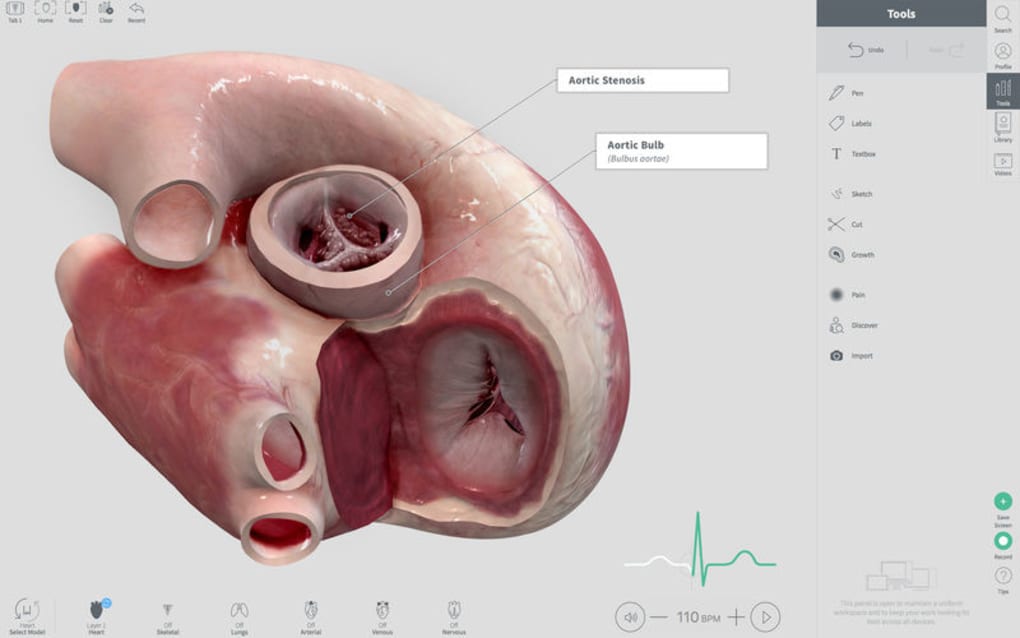
- Clinical scenario library – simulate arrhythmias, valve disorders, and blood‑flow abnormalities.
- Cross‑platform support (Windows, macOS, Android, iOS) with seamless cloud sync.
- Regular free updates adding new models, texture packs, and diagnostic tools.
Each feature has been crafted to support both passive learning and active exploration. The layered view lets users peel away the outer pericardium, then the epicardium, myocardium, and finally the endocardial surface, all while the heart continues to contract. The ECG module goes beyond a static chart; it reacts to user‑controlled heart rates, showing how P‑waves, QRS complexes, and T‑waves shift with physiological changes.
The scenario library offers pre‑built case studies – for example, a user can trigger a mitral valve prolapse and instantly observe the altered blood flow, pressure gradients, and ECG changes. This integration of visual, auditory, and data‑driven feedback creates a multimodal learning environment that aligns with modern educational standards. Moreover, the app’s UI is designed for both novices and experts.
Beginners can rely on guided tours that walk through each chamber, while advanced users can toggle off all labels and explore the anatomy unaided. The cloud sync feature means progress, bookmarks, and custom notes are saved across devices, making it easy to continue a study session on a laptop at home and pick up on a tablet in the clinic. Overall, Complete Heart’s feature set delivers a comprehensive, interactive platform that bridges the gap between theoretical knowledge and practical understanding of cardiac function.
Installation, Usage & Compatibility
Getting started with Complete Heart is straightforward, regardless of your operating system. For Windows and macOS users, simply visit the official website or the Microsoft Store/App Store, click the “Download” button, and run the installer. The installer guides you through standard steps: accept the license agreement, choose an installation folder, and optionally create a desktop shortcut. Android and iOS users can locate the app in Google Play or the Apple App Store, tap “Install,” and wait for the download to complete. The app requires at least 4 GB of free disk space and a graphics processor that supports OpenGL 3.2 or higher, which covers virtually all modern laptops and tablets.
After installation, launch Complete Heart and create a free account using an email address. The account enables cloud synchronization, saves your progress, and unlocks optional premium modules. On first launch, you’ll be greeted with a short tutorial that explains navigation controls: pinch‑to‑zoom, two‑finger rotate, and tap‑to‑select.
The main dashboard presents three entry points – “Explore Anatomy,” “Clinical Cases,” and “ECG Lab.” Selecting “Explore Anatomy” opens the 3D heart model, where you can start by rotating the organ, toggling layers, or listening to the synchronized heartbeat audio. The “Clinical Cases” section contains pre‑loaded scenarios; each case includes a brief description, learning objectives, and a “Start Simulation” button that activates the specific pathology. The “ECG Lab” offers a sandbox where you can manually adjust heart rate, introduce conduction blocks, and see the immediate effect on both the ECG trace and the heart’s motion.
Compatibility-wise, Complete Heart runs on Windows 10 or later, macOS 10.15 Catalina or newer, Android 8.0 and up, and iOS 13 or later. The app is optimized for both high‑resolution desktop monitors and smaller mobile screens; UI elements automatically adapt to the device’s pixel density. For users with older hardware, the app offers a “Low‑Performance Mode” that reduces texture detail and disables real‑time lighting while preserving core functionality. This ensures that learners on budget devices can still benefit from the interactive experience. Finally, the software updates automatically in the background when an internet connection is available, guaranteeing that you always have the latest models, bug fixes, and security patches without manual intervention.
Pros, Cons, FAQ & Conclusion
Pros
- Highly realistic 3D heart model with synchronized audio enhances immersion.
- Comprehensive educational tools, including layered anatomy, ECG simulator, and clinical case library.
- Cross‑platform availability ensures accessibility on Windows, macOS, Android, and iOS.
- Regular free updates keep content current and add new learning modules.
- Cloud sync lets users continue learning across multiple devices seamlessly.
Cons
- Requires a graphics‑capable device; older computers may need to use Low‑Performance Mode.
- Advanced clinical scenarios are locked behind optional in‑app purchases.
- Initial tutorial may feel lengthy for users already familiar with cardiac anatomy.
Frequently Asked Questions
Is Complete Heart free to use?
The core application is free to download and includes the full 3D heart model, basic layer navigation, and the ECG lab. Premium clinical scenarios and advanced texture packs are offered as optional in‑app purchases.
Can I use Complete Heart for professional medical training?
Yes. Many medical schools and cardiology fellowships incorporate Complete Heart into their curricula because it visualizes anatomy and electrophysiology in a way that complements traditional lectures and cadaver labs.
What are the system requirements for the desktop version?
Windows 10 or later, macOS 10.15 or later, a GPU supporting OpenGL 3.2+, at least 4 GB of free storage, and 8 GB of RAM for optimal performance. Low‑Performance Mode can be used on older hardware.
How does the ECG simulator work?
The ECG lab lets you adjust heart rate, introduce arrhythmias, and modify conduction pathways. Changes are reflected instantly in both the graphical ECG trace and the animated heart, helping users understand the relationship between electrical activity and mechanical function.
Is my data safe when using cloud sync?
Complete Heart uses encrypted HTTPS connections for all data transfers and stores user data on secure, GDPR‑compliant servers. Your progress, bookmarks, and custom notes are protected and can be deleted at any time from the account settings.
Conclusion & Call to Action
Complete Heart stands out as a powerful, interactive platform that transforms the way we study cardiac anatomy and physiology. By merging high‑fidelity 3D graphics, real‑time audio, and clinical simulation tools, it offers a learning experience that is both engaging and scientifically accurate. Whether you are a high‑school student curious about how the heart works, a university anatomy professor seeking a dynamic teaching aid, or a cardiology resident sharpening diagnostic skills, Complete Heart delivers the depth and flexibility you need. The free core app provides ample content to get started, while optional premium modules allow you to expand into specialized clinical scenarios. Download Complete Heart today, explore the beating organ from the inside out, and bring a new level of understanding to your cardiovascular education.







